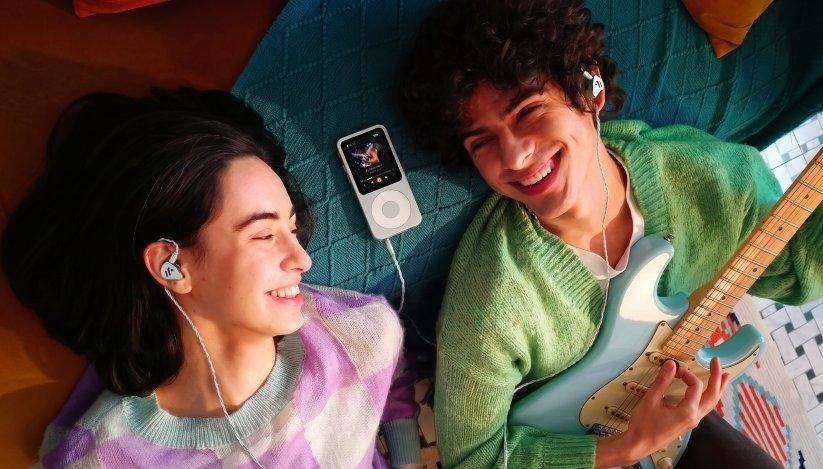

Most of us stopped thinking about MP3 players years ago, and that is fair enough. Phones took over, streaming took over, and the little music player in the pocket felt like a thing from another time. But the Fosi Audio DAP Neo is not trying to be a phone. It is a small, focused device built for one job: playing your music files as well as they can possibly sound, without the noise and distractions that come with a phone.
That idea is worth a closer look, because a lot of people have music files sitting on a hard drive that never sound as good as they should. The files might be fine. The player might be the weak link. A dedicated player changes the chain between the file and your ears.
What a DAP actually is
A DAP is short for digital audio player, and the name tells you most of what you need to know. It is a pocket-sized device that stores music files and plays them through wired headphones or earphones. Unlike a phone, it has no social apps, no messages popping up, and no phone radio sitting next to the audio circuits. Everything inside it is there to serve the music, and nothing else is competing for attention.
That focus is the whole point. When you press play on a phone, the sound has to travel past all the other things the phone is doing at the same time. A dedicated player keeps the path short and quiet. You pick an album, you press play, and the device does the one thing it was made to do. For people who still buy albums or keep a library of files, that simplicity is a large part of the appeal.
How the sound gets better
The biggest difference is in how the player reads the file. Old MP3 players squeezed songs down into small, lossy files, usually somewhere between 128 and 320 kilobits per second, and a lot of fine detail was thrown away in the process. Modern players like this one can handle lossless formats such as FLAC and WAV, along with studio master files in DSD, so the detail that was recorded stays in the sound you hear.
The Fosi Audio DAP Neo also keeps its audio path isolated from the electrical noise that phones live with every day. On a phone, the sound signal shares space with Wi-Fi, mobile data, and a screen that is always busy, and that can show up as a faint hiss behind quiet passages. A player built around a clean, separate audio path keeps the background quiet, so soft guitar notes and the breath between words come through clearly.
The quiet parts matter most
What you notice first is not loudness but space. A well-recorded track has room in it: the singer in the middle, the drums a little further back, the guitar off to one side. A good player keeps those places separate instead of flattening everything into one wall of sound. That is what people mean when they say a player sounds open or detailed, and it is the easiest thing to test with a song you already know well.
A simple test is to play a song you know well, first on your phone and then on the player, using the same headphones. Listen for the space between the instruments and the quiet at the start of the track. If the player makes those easier to hear, it is doing its job.
What to listen for when you try one
If you get the chance to try a dedicated player, bring your own headphones and a few tracks you know inside out. Start with something quiet, like an acoustic song or a piano piece, and listen to the silence between the notes. Then try something busy, with a lot of instruments at once, and see whether you can still pick out the bass line or the backing vocals. A good player makes both tests easier, and a weak one makes them harder.
Also pay attention to how the player feels to use day to day. Can you find an album quickly? Does it remember where you stopped? Is it comfortable to carry on a walk or a train ride? Sound quality is the reason to buy one, but the everyday handling is what decides whether it stays in your pocket or ends up in a drawer. The best players get both parts right, and they do it without asking you to learn a complicated menu system.
Files, formats, and your library
One practical question is what happens to the music you already own. A modern player should accept the common file types without fuss: MP3 for older files, FLAC and WAV for lossless copies, and DSD if you have studio masters. If your collection is a folder full of files you have kept for years, it can feel like hearing them for the first time.
Storage is the other half of the question. Lossless files are bigger than compressed ones, so a player needs room to grow, either through generous built-in storage or a card slot. Before buying any player, it is worth checking how your library is stored now and how much space it takes up. That one check saves the frustration of moving files around later, and it tells you whether the player fits the way you actually listen.
A dedicated player is not for everyone. If you mostly stream music through your phone and you are happy with how it sounds, there is no reason to add another device to your life. But if you keep a library of files and listen with good wired headphones, a player built for sound alone is worth trying. The difference is simply what happens when one device does one job properly.