
Simply having high-quality hardware does not guarantee that a gaming PC will deliver smooth and consistent performance.Over time, unnecessary applications, background tasks, outdated software, and demanding game settings can affect the way games run. When I notice stuttering, slow loading, or inconsistent frame rates, I usually look beyond the graphics card and check how the entire system is being used.
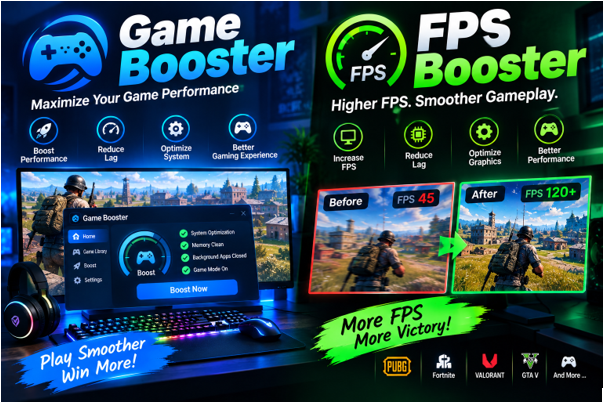
This is where tools designed to optimize gaming performance, such as Game Boosters and FPS Boosters, can help.These tools are designed to help optimize a computer for gaming, although the exact features and results can differ between applications.
Getting Your PC Ready for Gaming
Before launching a demanding game, my computer may already be handling several tasks. A browser could have multiple tabs open, cloud software might be synchronizing files, and messaging applications may be running in the background.
A Game Booster can address this by limiting nonessential background processes and freeing up system resources while you play. Some tools can also create a dedicated gaming mode that limits interruptions and focuses available system resources on the active game.
This approach can be helpful because it avoids making permanent changes to the computer. Once the gaming session ends, normal applications and services can generally continue working as usual.
Understanding FPS Performance
An FPS Booster takes a slightly different approach by focusing on frame-rate performance. FPS stands for Frames Per Second and is commonly used to describe how smoothly a game is rendered.
When FPS fluctuates heavily, gameplay can feel uneven even if the average number looks reasonable. An FPS-focused tool may help by recommending or adjusting settings that reduce the workload placed on the CPU or GPU.
For instance, lowering certain graphical effects can free up resources that the game can use to render frames more efficiently.The results can vary by system, but this approach may help deliver smoother and more stable gameplay.
What Actually Affects FPS?
I have found that FPS depends on much more than one setting. The graphics card usually plays a major role, but the processor can become important in CPU-heavy games. RAM capacity and speed, background processes, driver versions, game optimization, and temperature can also influence performance.
Resolution makes a major difference as well. Running a game at a higher resolution requires the GPU to process more visual information. If performance is below expectations, reducing resolution or demanding visual effects can sometimes provide an immediate improvement.
Because so many factors are involved, an FPS Booster should not be viewed as a guaranteed solution for every performance issue.
Benefits of a Game Booster
One of the main advantages of a Game Booster is convenience. Instead of manually checking running programs every time I want to play, I can use a gaming-focused utility to handle selected optimizations.
Some Game Boosters may include additional features such as performance monitoring, game libraries, network-related options, or shortcuts for launching games. The exact feature set depends on the software being used.
Another potential benefit is reducing distractions. Notifications and background applications can interrupt a game at the wrong moment, especially during fullscreen gameplay or competitive matches.
When an FPS Booster Is Worth Trying
An FPS Booster may be useful when my PC is close to the performance level required by a game but needs some optimization. In this situation, small improvements in graphics settings or background resource usage can sometimes make gameplay more comfortable.
However, software cannot overcome every hardware limitation. If the graphics card is consistently operating at its maximum capacity, an FPS Booster may have limited impact. Similarly, if the CPU is the main bottleneck, reducing GPU-related settings alone may not solve the problem.
This is why I prefer checking actual hardware usage before changing too many settings.
Other Steps I Use for Better Performance
A booster is just one element of maintaining and optimizing overall PC performance. I also make sure that important drivers are current and check CPU and GPU temperatures during demanding gaming sessions.
Excessive heat can cause hardware to reduce its speed, which may lead to performance drops. Keeping the system clean, maintaining good airflow, and using appropriate cooling can therefore be just as important as software optimization.
I also close programs that I do not need and check whether Windows or another application is performing an update in the background.
How to Measure the Difference
Whenever I make an optimization, I prefer to compare results rather than relying on guesswork. An FPS counter or benchmark can show how the game performs before and after a change.
For example, I can record the average FPS and observe whether there are noticeable drops during demanding scenes. Comparing the same game, location, resolution, and graphics settings makes the results more meaningful.
This method can also help me avoid unnecessary tweaks. If an adjustment produces no measurable improvement, there is little reason to keep it enabled.
Final Thoughts
A Game Booster can optimize a computer for gaming by limiting unneeded background processes, whereas an FPS Booster primarily targets frame-rate performance. These tools may be helpful when software or system processes are affecting the gaming experience.
At the same time, neither tool should be expected to replace capable hardware or proper system maintenance. Checking drivers, temperatures, graphics settings, and hardware usage can provide a clearer understanding of what is actually limiting performance.
For me, the most practical approach is to use optimization tools as part of a wider maintenance routine. With realistic settings and regular performance checks, even a mid-range gaming PC can often provide a smoother and more consistent gaming experience.
Read More From Magazinepanda